
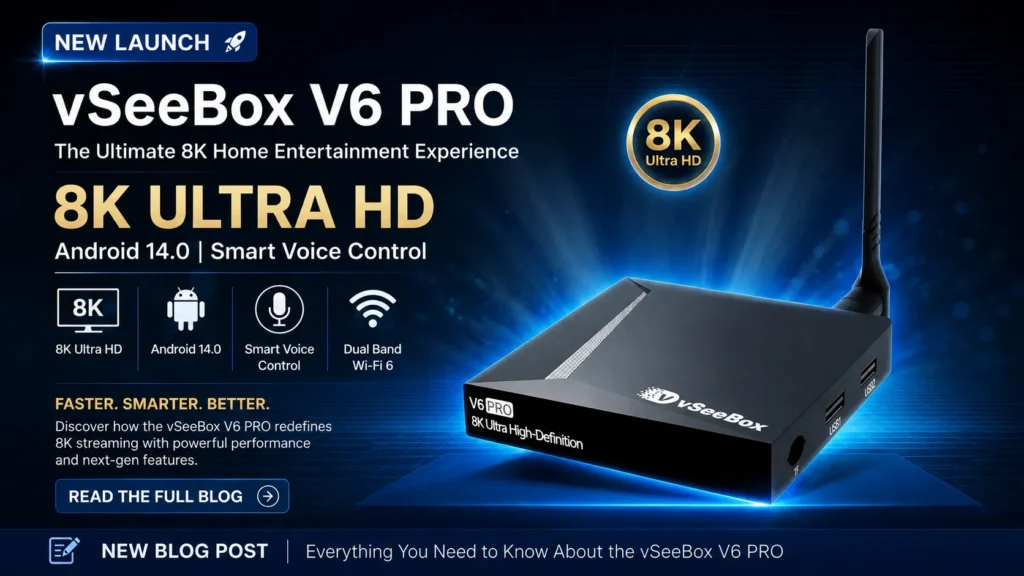
vSeeBox V5 Pro vs V6 Pro: Key Differences & 2026 Upgrade Guide
Looking for a detailed comparison between the vSeeBox V5 Pro and vSeeBox V6 Pro Android streaming TV boxes in 2026? Many existing vSeeBox V5 Pro owners are asking the same question: should I upgrade to the new vSeeBox V6 Pro? This side‑by‑side comparison breaks down every key difference: operating system, chipset, WiFi, video decoding, remote, cooling and real‑life streaming performance. If you want to explore other models in the product lineup, read our vSeeBox V6 Series Buying Guide: V6 Pro vs V6 Plus vs V6 Max. By the end, you’ll know exactly whether to stick with your V5 Pro or invest in the V6 Pro in 2026.
vSeeBox V5 Pro vs V6 Pro: Full Spec Comparison Table
| Spec | vSeeBox V5 Pro | vSeeBox V6 Pro |
|---|---|---|
| Operating System | Android 12 | Android 14 |
| Chipset | Quad‑core Cortex‑A53 | Allwinner H618 Quad‑core Cortex‑A53 |
| RAM / Storage | 4GB DDR3 +32GB eMMC | 4GB DDR3 +32GB eMMC |
| WiFi | Dual‑band WiFi 5 (2.4G/5G) | Dual‑band WiFi 6 (802.11ax, 2T2R MIMO) |
| Bluetooth | BT 4.2 | BT 5.0 |
| Video Decoding | Up to 6K@60fps, 4K HDR | Up to 8K HDR10, 6K@60fps decoding |
| Ethernet | Gigabit LAN | Gigabit LAN |
| Remote | Bluetooth voice remote | Backlit Bluetooth voice remote |
| Cooling | Standard thermal design | Improved airflow & cooling structure |
| OTA Updates | Supported | Supported, longer software support window |
Key Differences Between vSeeBox V5 Pro and V6 Pro
1. Operating System: Android 12 vs Android 14
The biggest software jump is from Android 12 to Android 14 on the V6 Pro.
- V5 Pro: Android 12 still works well, but newer streaming apps gradually drop older Android version support over time. Long‑term firmware and security updates will eventually slow down.
- V6 Pro: Android 14 delivers faster UI navigation, better app compatibility, improved privacy controls, and a longer lifecycle of official OTA firmware updates. Multitasking between streaming apps, browsers and games feels snappier.
2. Chipset & GPU Performance
V6 Pro uses the upgraded Allwinner H618 chipset with enhanced GPU.
- V5 Pro handles 4K/6K streaming smoothly for daily use, but can stutter when loading multiple apps or heavy HDR content.
- V6 Pro’s H618 platform speeds up app launch, channel switching and HDR rendering. Heavy 4K HDR streams and 8K media playback have less frame drop and buffering.
3. WiFi 6 Upgrade (Critical for Streaming)
This is one of the most practical upgrades.
- V5 Pro: WiFi 5, good for most homes, but struggles with weak WiFi signals or multiple devices competing for bandwidth.
- V6 Pro: WiFi 6 with 2T2R MIMO high‑gain antenna. Lower latency, stronger wall penetration, less buffering during peak internet hours. Ideal if your router is far from your TV. Wired gigabit Ethernet remains available on both boxes for maximum stability.
4. Video Playback & HDR
- V5 Pro: Max 6K@60fps decoding, great for 4K HDR streaming.
- V6 Pro: Adds native 8K HDR10 support, richer color grading for HDR content. Even if you own a 4K TV, the improved decoder produces cleaner HDR and less banding on high‑bitrate streams.
5. Remote Control & Hardware Design
- V5 Pro: Standard Bluetooth voice remote.
- V6 Pro: New backlit voice remote. Perfect for dark living rooms; no more fumbling with buttons at night. The box also has a redesigned casing with better airflow, reducing thermal throttling during long streaming sessions.
- Bluetooth 5.0 on V6 Pro gives more stable pairing with soundbars, headphones and wireless keyboards vs BT4.2 on V5 Pro.
2026 Upgrade Guide: Should You Upgrade From vSeeBox V5 Pro to V6 Pro?
✅ Upgrade to V6 Pro if any of these apply:
- Your V5 Pro often buffers over WiFi and you cannot run an Ethernet cable. WiFi6 will drastically improve stability.
- You experience slow app loading, UI lag or occasional crashes, especially with HDR streams.
- You want a longer‑lasting device with newer Android 14 and more years of official firmware updates.
- You watch in a dim living room and want the convenience of a backlit remote.
- You plan to upgrade your TV to 8K in the near future.
👉 Shop the upgraded vSeeBox V6 Pro now.
❌ Keep your V5 Pro if:
- Your V5 Pro works perfectly: wired gigabit connection, no lag, no buffering, and you mostly stream 4K content.
- Budget is tight, and you don’t care about WiFi6, backlit remote or Android 14.
- You rarely use heavy HDR content and don’t mind older Android 12.
👉 Grab the reliable vSeeBox V5 Pro if you prefer a cost‑effective streaming solution.
Final Verdict: vSeeBox V5 Pro vs V6 Pro
The vSeeBox V6 Pro is not a complete overhaul, but it delivers meaningful upgrades: Android 14, Allwinner H618 chip, WiFi 6, backlit remote and better cooling.
For users with weak WiFi or frequent buffering: Upgrade, the WiFi6 alone makes it worth it.
For users with stable wired internet and a perfectly working V5 Pro: Hold off, you may not notice enough difference to justify the cost.
Frequently Asked Questions (FAQ)
Q: Is vSeeBox V6 Pro faster than V5 Pro?
A: Yes. The H618 chip + Android14 + WiFi6 combine for faster app loading, quicker channel switching and more reliable streaming, especially over wireless connections.
Q: Can I use my old V5 Pro remote on the V6 Pro?
A: In most cases, the Bluetooth remote can pair, but you will lose the backlit feature that comes with the V6 Pro bundled remote.
Q: Do both boxes support Gigabit Ethernet?
A: Yes, both V5 Pro and V6 Pro include a gigabit LAN port. Wired connection will always be the most reliable option for streaming.
Q: Does V6 Pro support 8K TV?
A: Yes, it supports up to 8K HDR10 @60fps decoding. It still works perfectly on regular 4K TVs with improved HDR quality.
Ready to pick your streaming box?
Explore our lineup: vSeeBox V5 Pro for proven stable performance or the new vSeeBox V6 Pro for WiFi 6 and Android 14 upgrades.