
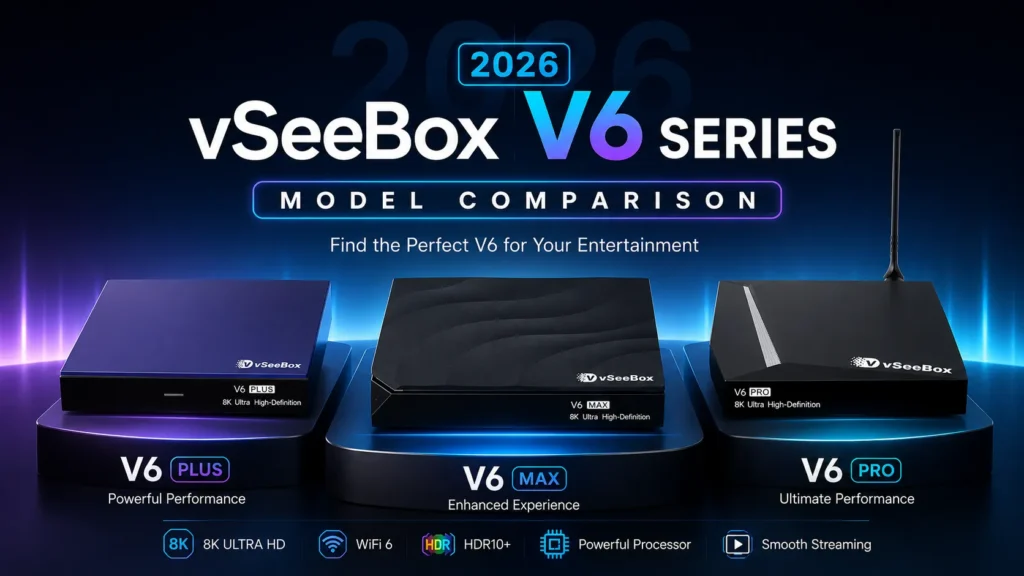
vSeeBox V6 Pro vs V6 Plus vs V6 Max: Choosing the best streaming media box for your home entertainment setup can feel overwhelming, especially when a product family comes with multiple variants built for different budgets and use‑cases. The 2026 vSeeBox V6 Series brings three mainstream models. This complete buying guide breaks down performance, hardware specs, real‑world usage scenarios and key differences to help you pick the right vSeeBox V6 for your household.
When shopping for a vSeeBox streaming box, it can be hard to tell which V6 model matches your needs. We’ve compared the V6 Pro, V6 Plus and V6 Max side by side, covering chipsets, memory, storage, remote features and unique functions to simplify your decision.
vSeeBox V6 Series Spec Comparison Table
| Specifications | vSeeBox V6 Pro | vSeeBox V6 Plus | vSeeBox V6 Max |
|---|---|---|---|
| Processor | Allwinner H618 | Amlogic S905Y5 | Amlogic S905Y4 |
| RAM | 4GB | 4GB | 4GB |
| Storage | 32GB | 64GB | 64GB |
| Remote Control | Standard Voice Remote | Backlit Voice Remote | Backlit Remote |
| Split-Screen Multitasking | No | Yes | No |
| Video Decoding | 8K | 8K | 8K |
Our Testing & Review Process
This buying guide is written by our in-house home entertainment hardware team. We physically test all vSeeBox models through our store, verify hardware specifications and collect real user feedback to help shoppers make confident purchasing decisions.
We evaluate every feature, from playback performance and system stability to remote responsiveness. Our goal is to give honest, hands-on comparisons so you know exactly what to expect from each vSeeBox V6 Pro, vSeeBox V6 Plus and vSeeBox V6 Max.
Which Should You Choose?
If you want the best all-rounder for most homes, the vSeeBox V6 Plus is our recommendation. It’s equipped with the newer Amlogic S905Y5 processor, larger 64GB storage, backlit voice remote and split-screen function for running multiple apps at once.
If you prefer simple, reliable daily streaming without extra multi-window features, the vSeeBox V6 Max delivers stable performance with 4GB RAM and 64GB storage.
For buyers working with a tighter budget, the vSeeBox V6 Pro offers solid 8K playback at a lower price point in the V6 series.
Pros & Cons for Each vSeeBox V6 Model
vSeeBox V6 Pro
Pros
- Lowest price in the V6 lineup, great for budget shoppers
- Supports 8K video decoding for high-resolution media playback
- Compact body, simple setup for basic home streaming
Cons
- Only 32GB internal storage, fills up quickly if installing many apps
- Standard non-backlit voice remote, hard to use in dark rooms
- No split-screen multitasking function
vSeeBox V6 Plus
Pros
- Amlogic S905Y5 chip for smoother performance
- 64GB large storage for apps and offline media
- Backlit voice remote for nighttime use
- Exclusive split-screen multitasking to run two apps side by side
Cons
- Higher cost than V6 Pro
- Split-screen function only works with compatible applications
vSeeBox V6 Max
Pros
- Balanced price and 64GB storage
- Backlit remote included
- Reliable Amlogic S905Y4 processor for daily streaming
- Stable system performance for single-app media playback
Cons
- No split-screen multitasking
- No voice control on the backlit remote
Key Factors to Consider Before Buying
Before picking your vSeeBox V6 streaming box, there are a few practical points to consider beyond raw hardware specifications.
- Storage Size: If you plan to install many applications or save media locally, pick 64GB models like V6 Plus or V6 Max. Casual users with only a few apps can save money with the V6 Pro.
- Remote Type: Backlit remotes are ideal if you often watch TV at night. Voice remote helps you quickly search content without typing manually.
- Multitasking Needs: Split-screen is only available on V6 Plus. It suits users who want to browse and watch media at the same time.
- Warranty & Authenticity: Always buy from authorized sellers. Genuine units come with official support and warranty, while unauthorized copies may have unstable firmware and no after-sales service.
Frequently Asked Buyer Concerns
Many shoppers wonder whether they need to upgrade from older vSeeBox versions to the V6 series. The V6 line brings updated chipsets, improved memory management and refined remote controls compared with older generations. If your current box often lags or runs out of storage, upgrading to one of the V6 models will deliver a noticeable improvement.
All three vSeeBox V6 boxes support 8K video decoding, but your actual viewing quality also depends on your TV resolution and source media. An 8K box does not automatically create 8K picture if your TV is 4K.
About Our Review
This buying guide is written by our in-house home entertainment hardware team. We physically test all vSeeBox models through our store, verify hardware specifications and collect real user feedback to help shoppers make confident purchasing decisions.
FAQ
Which vSeeBox V6 model is best for most people?
The vSeeBox V6 Plus is our top recommendation for most households. It comes with the upgraded Amlogic S905Y5 chip, 4GB RAM, 64GB storage, backlit voice remote, and exclusive split-screen multitasking.
What is the main difference between V6 Plus and V6 Max?
The biggest difference is the processor and multitasking capability. V6 Plus uses Amlogic S905Y5 and supports split-screen multi-app operation. V6 Max runs Amlogic S905Y4 without split-screen function, great for straightforward streaming use.
Is vSeeBox V6 Pro worth buying?
Yes, if you are looking for a cost-effective entry option. The vSeeBox V6 Pro provides 4GB RAM, 32GB storage and 8K decoding performance, suitable for users with basic streaming needs and limited budget.
How do I avoid buying fake vSeeBox hardware?
We do not recommend purchasing from unauthorized marketplaces. Unauthorized third-party units may list inaccurate specifications, run unstable firmware and come without official manufacturer warranty coverage. Always buy from authorized dealers. Check our buying guide to find genuine vSeeBox products.